Portfolio Planning
List
Before I beginning designing the initial outline for my portfolio I will be listing the areas that I would like to be featured on it that will be available to view for those who come visiting my portfolio this includes:
Home
Portfolio – subheadings for different projects and personal work
About – Personal information social medias etc
Contacts – Email and additional social media links such as discord profile
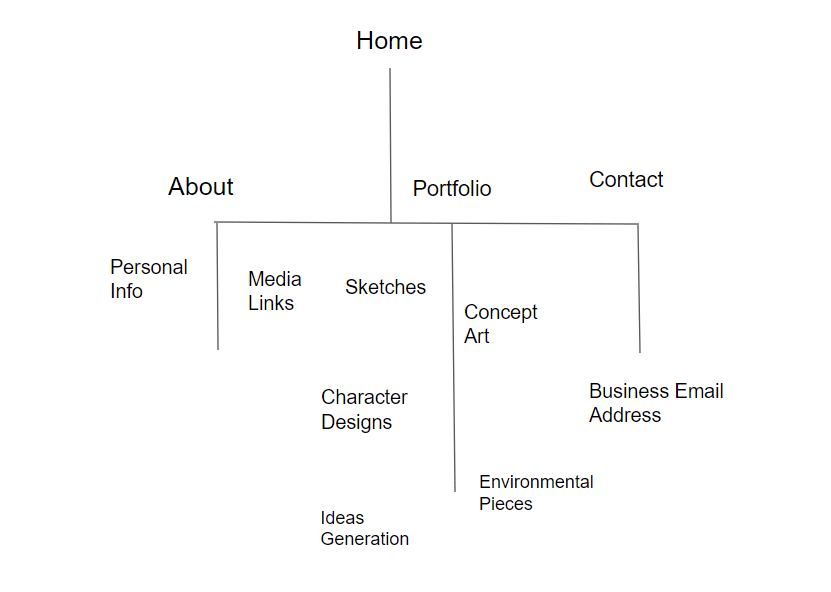
In this image I am showcasing my first flow chart that presents an initial idea for a navigation layout that I may utilize for my chosen portfolio provider. This layout is simple and straight to the point with the home page taking point before the other panels, each panel contains pages that present information or work such as the about section containing personal information about myself with media links presenting access to any social media accounts that I possess. The contact section includes a business email which viewers can use to contact me and is placed at the end of the page as the majority of viewers will not be looking to contact me and would rather see the work and blog I have created be presented as the primary features of this page.
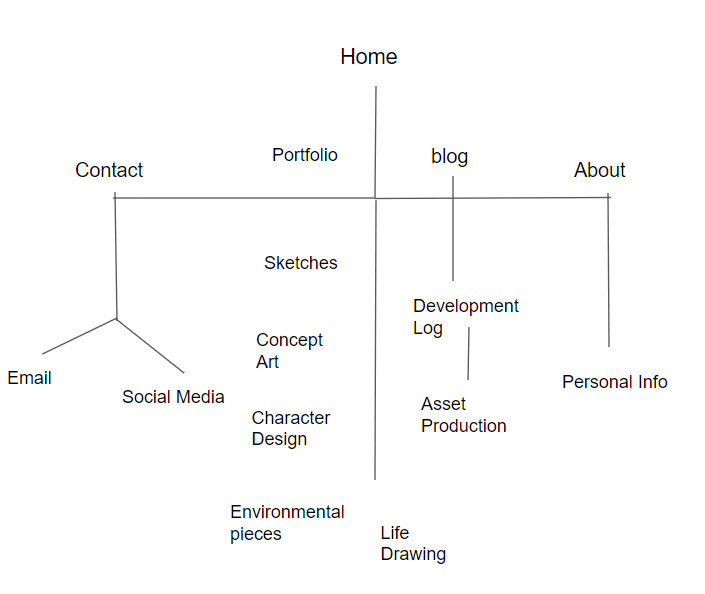
For this navigation layout diagram I have included a section that features a blog, this then branches off into a development log and asset production log which I believe are features that should be considered for inclusion on a portfolio as they present the artists workflow and design process which allows viewers an insight into how the artists works and what stages of planning and development they go through. The contact and about pages have also gone through some minor changes with about now being limited to containing only personal info whilst the social media has been switched over into contact as I believe this layout makes more sense. The portfolio has been placed at the center of the web-page with the blog being setup next to it, I have come up with this idea as I believe it makes more sense for the main pages of this site to bet setup in close proximity with one another so that the viewer doesn’t miss either one.
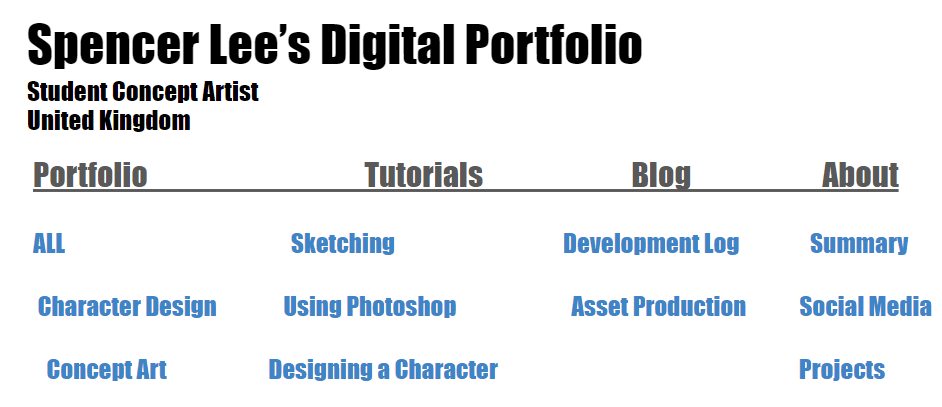
In this image I have created a layout for the home page of my portfolio, each header has been laid out in an appropriate style that I believe best suits them as this layout allows the viewer to easily navigate between sections and prevents them from having to search for the portfolio as it is the first page available for you to click on as it immediately catches your eye with the rest of the headers laid out alongside being the second thing to come into view
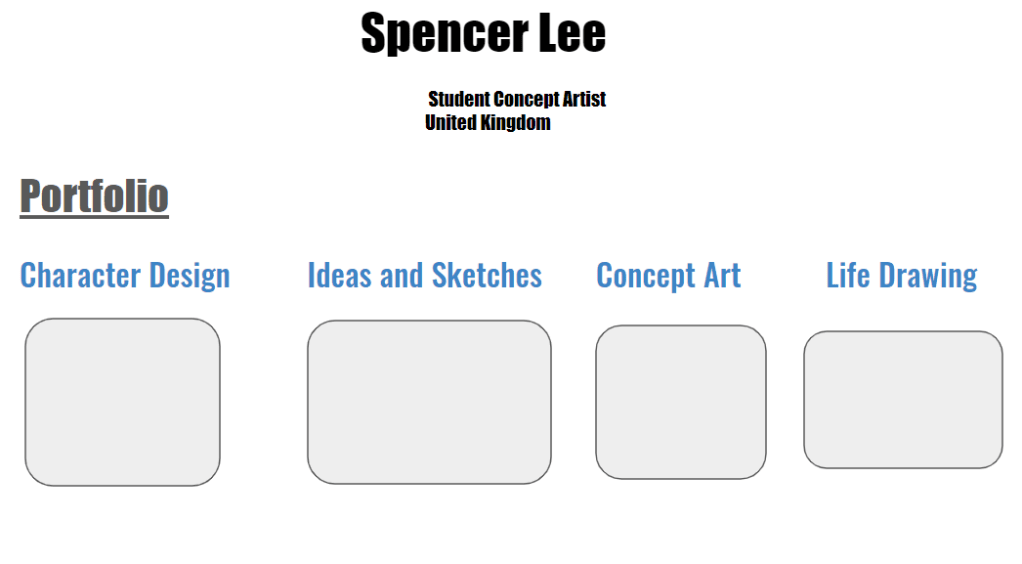
This slide showcases the layout for the portfolio section of my online profile. The headers below the title of the page tell the viewer what is contained in each collection of images which helps to prevent them being overwhelmed by a large amount of images appearing out of order on their screen whilst it also allows them to navigate to what art work they want to see so they are not limited to viewing everything at once but are able to view it individually in an organised and appropriate manner. The title above the page remains the same as on the home slide and serves a constant reminder to the viewer as to who’s work they are viewing. This layout is simple whilst holding an interesting layout that lets the viewer see multiple collections of work within a single folder.
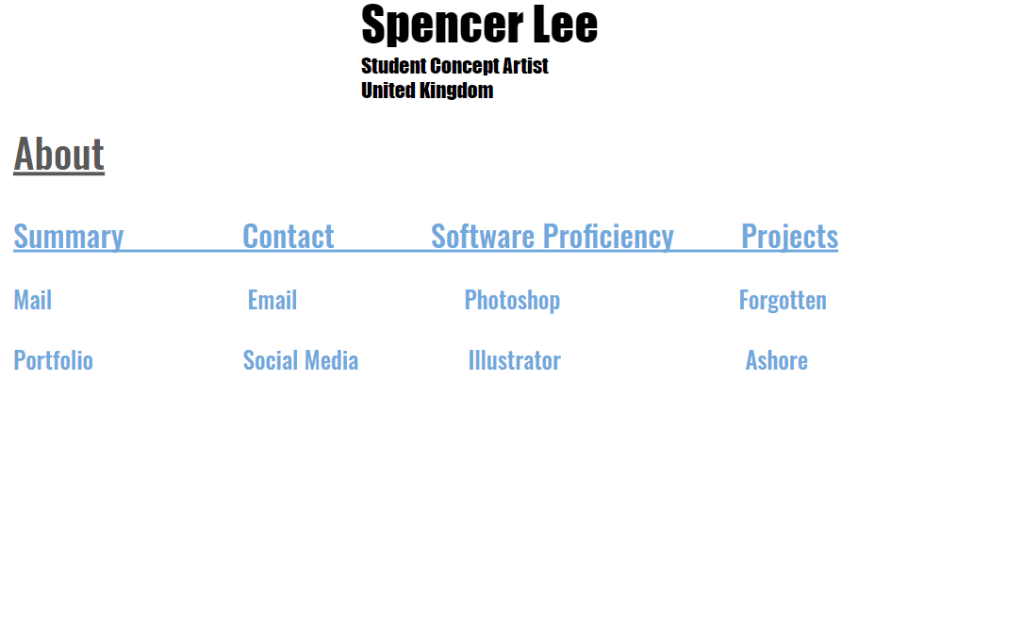
For this page I have setup a layout for the about section of my online portfolio. In this section the viewer can read a summary providing context as to what is contained on my portfolio whilst learning more about what I have chosen to present it on this site along with being provided with contact information if they are wishing to get in touch with myself. This section also contains a software proficiency list that states the software I have used to produce my work which helps the viewer to understand my work flow as well as gain insight into what techniques I might use. The projects section would allow them to view work I have produced at a professional level for actual productions and projects that I have been given set deadlines for. This allows the viewer to view what level I am at with my skills whilst showing them what project I have produced the best work for. Overall this layout is one that greatly appeals to me as it is simple and provides the viewer with everything they need to be able to learn more about myself as well as to get in contact with me through the use of the links and email addresses that I have provided.
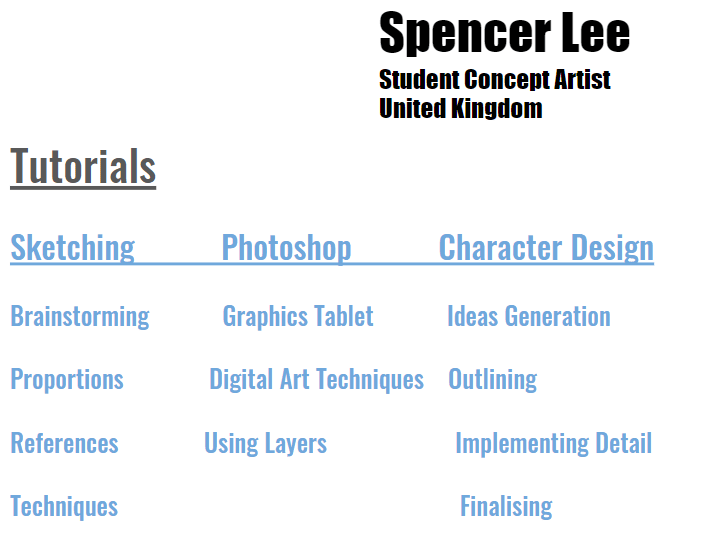
This section presents a layout of page that I have decided to create as the viewer may be inspired by the work they view on the portfolio but are unable to procure appealing results and so a tutorial section would allow them to learn more about art whilst gaining insight into how I produce my own work and learning more about myself. I believe this is a page that the viewer would appreciate as it shows that the artist is willing to provide help for people and show the techniques they use in detail. The page includes tutorials in the areas of art that I specialise in as well as on the software that I use when creating my art work. This page I believe is one that is unique and eye catching for the viewer as it allows them to gain a more personal atmosphere on your portfolio.

For this section I have designed a layout for the blog page of my portfolio. This is a section that I’d like to include on my portfolio as it will allow me to present my workflow to the viewer as well as showcase my development process for the art pieces that are going to be available for viewing on my portfolio. The blog will contain development logs for projects that I have worked on such as personal work and the assigned summer term work which will include evaluations and annotations about my work as well as statements on all the decisions and changes I made throughout the production of my work.
Portfolio Creation
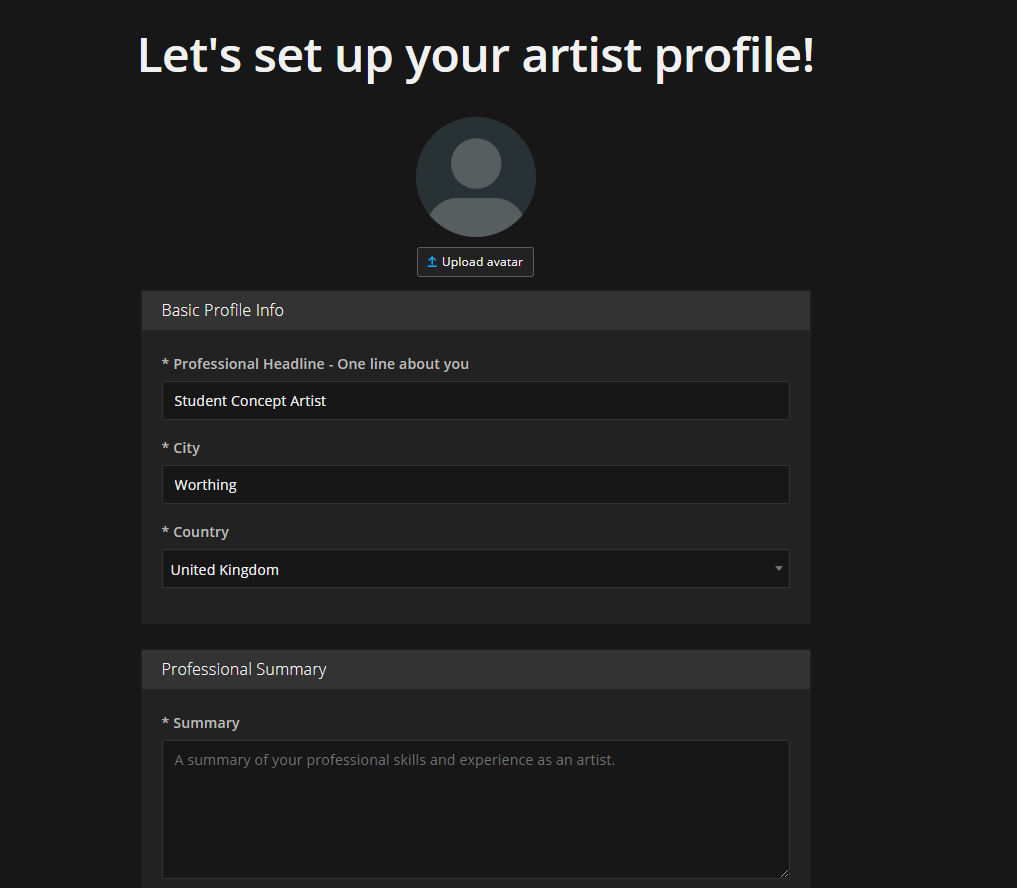
In this image I have started to setup my online portfolio on the provider art station, here I have listed my basic profile information and will begin to list my skills and provide a summary as I delve further into the creation of my artist profile.
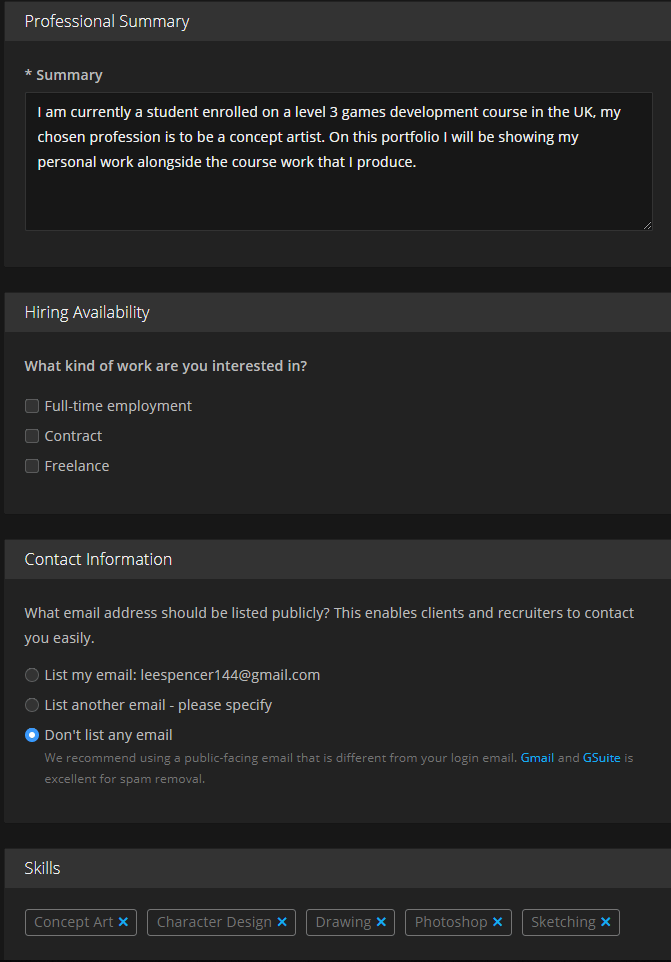
Here I have now filled out my professional summary as well as listing skills that I possess such as concept art and sketching. The summary and skill list I have provided give any viewers of my portfolio context as to what I specialise in and what my current role is such as my position currently being that of a student.
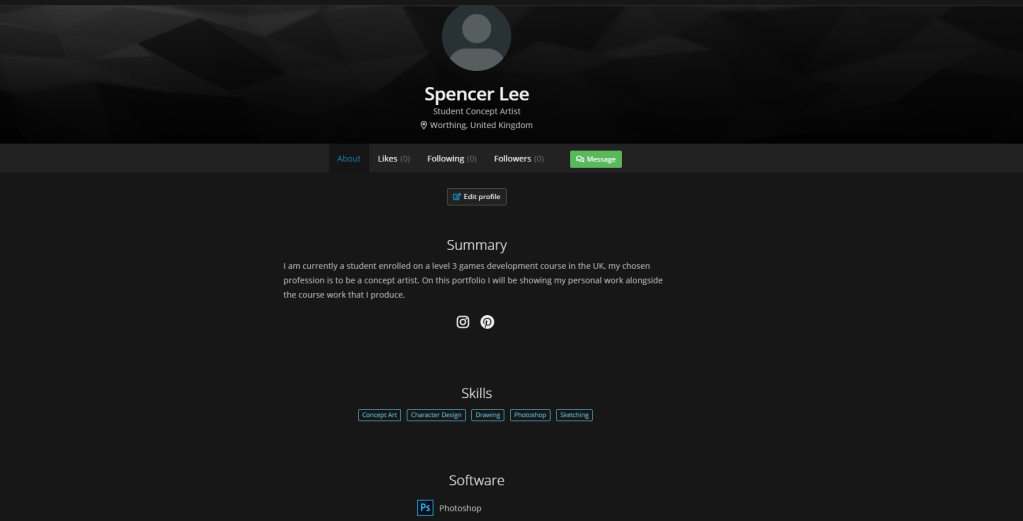
This image presents my finished About me section which includes links to my social media such as Instagram which allows viewers to contact me whilst the page also includes a summary which provides context as to who I am and what i will be posting on my art station profile. The page also includes a software list which as of now only includes photoshop as that is the software where my primary specialty is.
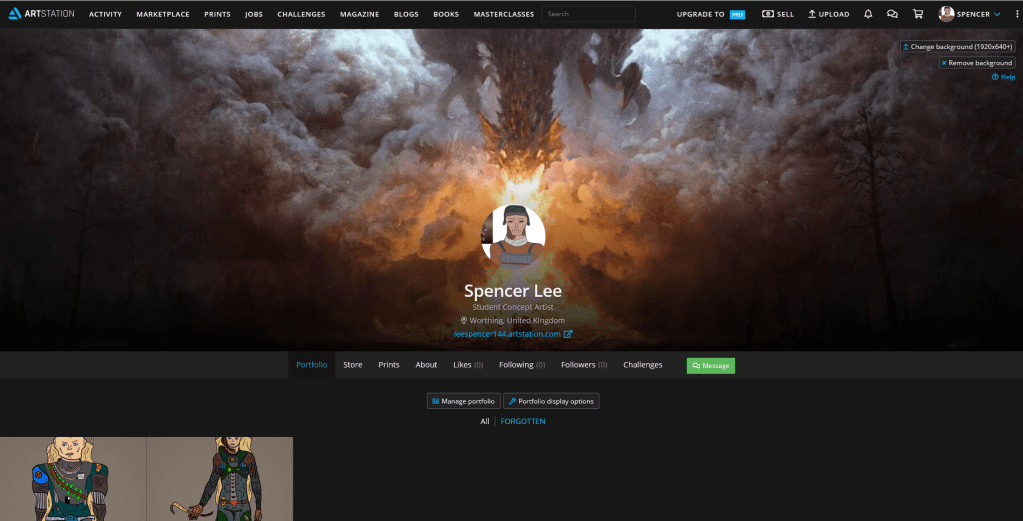
On my artstation profile I have now added a background that features a piece of concept art that is one of my personal favourites due to the lighting centered in the middle of the image with a dark shadow casted around the borders, this I feel creates a suitable atmosphere for my profile whilst my avatar is of a digital drawing I worked on as a personal project which I have done to give my profile a face and make it appear more intriguing and eye catching for the viewer whilst it also gives me a chance to make my art the literal face of my profile. I have also so far uploaded 2 of my art pieces that I produced for the final major project, these 2 uploads I have merged into an album as to separate them from any others that I will eventually upload, the album is titled FORGOTTEN and include the first art pieces that the viewer will see when opening up my portfolio.
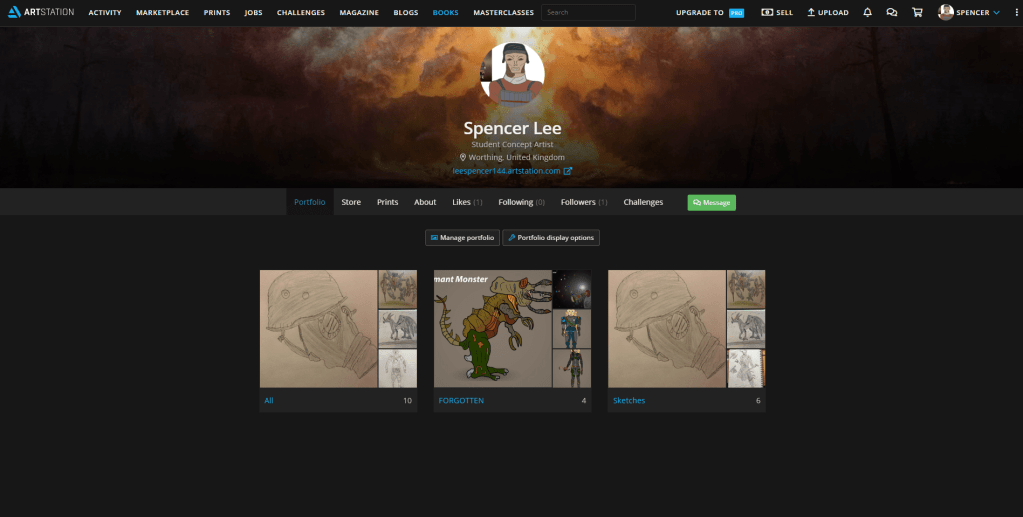
For my art station portfolio I have now uploaded a number of images presenting my own personal work which consists primarily of sketches. As well as doing this I have also organised my portfolio by placing all of my images into albums that are titled with what they contain such as my fmp work being placed in an album named FORGOTTEN and my personal sketches contained within the title Sketches. This helps the viewer to navigate my portfolio easier and prevents my site from becoming a disorganized and cluttered mess.
 Level 3 Games Development Spencer Lee